Thursday, 9 March 2017

The Last Melon

Image result for the last melon gif
(GIF found at: http://giphy.com/search/the-last-melon ).

Alright, the final blog post for the ICT course. The last melon. So with this final post, I thought I would reflect back on the course as whole, and touch on a few of the main points of some of what we learned, and maybe mention a few of the resources and programs that were introduced to us that I feel I will actually make use of in the future.

So first off, I think that the whole idea behind becoming more fluent with technology and communicative aids is super important for teachers to understand and utilize in their practice. Technology makes life easier for everyone, so using it and teaching others how to effectively use it only seems like common sense. The use of technology is becoming more and more prevalent in our society, and instead of regressing back to Luddite mentalities, teaching students how to use it critically and effectively is the way to go. That way, they will be that much more proficient with it when they get older, having developed alongside the technology. It is great to be able to connect with so many others at the touch of a button, and the resources that exist now are actually quite unbelievable.

Some of the main apps and programs that I think I will take away from the course are the quiz and test making websites, such as Kahoot! and Socrative, as well as networking resource websites such as Blackboard. Apparently my upcoming CT really likes and uses Blackboard in her classroom, so after this student teaching placement I feel like I will become even more proficient in using the site. As for the quiz making ones, I plan on testing them out with my upcoming group of students. I feel like Kahoot! will go over great with the kids, since it helps to turn the learning and memorization process into a competitive game against their classmates. As a teacher, whenever you can make lessons more fun and engaging, students will take more out of it, and it will reflect back onto yourself in a better light. It also has the added bonus of providing the teacher with valuable information about the students, and helps with formative assessments of where the students current standing is with the material from the course.

Moving forward, I think that I will continue to keep my e-portfolio updated and current, since it would be a great resource to have at your disposal come job searching time. I have enjoyed reflecting on my thoughts and compiling them in this blog as well, but I am undecided how much additional blogging I would do following the completion of this course. Perhaps once I get into a classroom I could use it to keep students and parents informed of the daily or weekly events. Or perhaps I would use it if I ever do any extensive travelling, since that is still on my bucket list of what I would like to do before I get myself settled down and working. We will see what lies on the horizon, but something I know to be true is that I will continue to make use of technology and ICT in the future.

To those of you reading this who will be moving out to their student placements next week, I wish you all the best, and hope to hear back from you in the summer. If not, enjoy the summer, and I will see you all again come September. Cheers!

Thursday, 2 March 2017

How can and will you address digital citizenship and literacy in your classroom?

Alright, this week in ICT we were given the following question to answer: How can and will you address digital citizenship and literacy in your classroom?

For me, with my two main teachable courses being Science and History, I feel like digital literacy and digital citizenship are both really important aspects that need to be addressed and utilized if you want to make the most out of your lessons. For those of you reading this post who might not be familiar or completely sure what these two terms refer to, "digital literacy is the set of competencies required for full participation in a knowledge society. It includes knowledge, skills, and behaviors involving the effective use of digital devices such as smartphones, tablets, laptops and desktop PCs for purposes of communication, expression, collaboration and advocacy." Digital citizenship refers to "a person who uses the Internet regularly and effectively," which is basically just being an appropriate online citizen. (Both of these definitions were provided courtesy of Wikipedia).
 
So, like I said, these are both interrelated concepts that are becoming increasingly more important in the classroom. Being able to get your students to make better use of the endless possibilities that are provided through the world wide web is a must. Teaching students how to effectively do research, and teaching them how to use their devices to engage with the world outside of the classroom are both really important skills to teach students now. No longer is the teacher and the textbook the only place that a student will get information from. Now, if the students (or anyone else) gets curious about something, they look up the answer on Google, like I just did when I needed to verify what exactly digital citizenship and digital literacy were actually about. Instead of having students simply finding the first hit on Google like I did with my Wikipedia definitions however, getting them to actually engage with the information and critically think about it is way more important. Teaching them that they can learn more using technology to get information and experience from people in an online community is also really important I think. Teaching students about the power that they have available to them in this modern society that we now live in is almost more important than making sure that they take away every single one of the required outcomes of a course. It sets them up to be more of a lifelong learner, who is able to critically respond to information and questions that they will discover. For me while teaching, something that I might try to do is ask the students to look quickly on their phones to look for the answer to a provocative question, and have them need to search out the answer. It would cause them to actually have to critically think about the topic, and read something online to make sure it is relevant and actually answering the question, while also making sure that it is from a reputable source. Students now pretty well all have smartphones with them at all times, so making the most of it instead of trying to police them all the time to keep them in their lockers or pockets just seems like the logical way to proceed. Plus, if you let them use their phones, they can capture cool moments like the moment captured by the GIF below, showing this science teacher spreading a fire under his students. That way you can become Internet famous. Because who wouldn't want that to happen, right?
Image result for science gif
(GIF found at: https://brightside.me/wonder-curiosities/15-amazing-gifs-that-will-make-you-fall-in-love-with-science-147355/)


Thursday, 23 February 2017

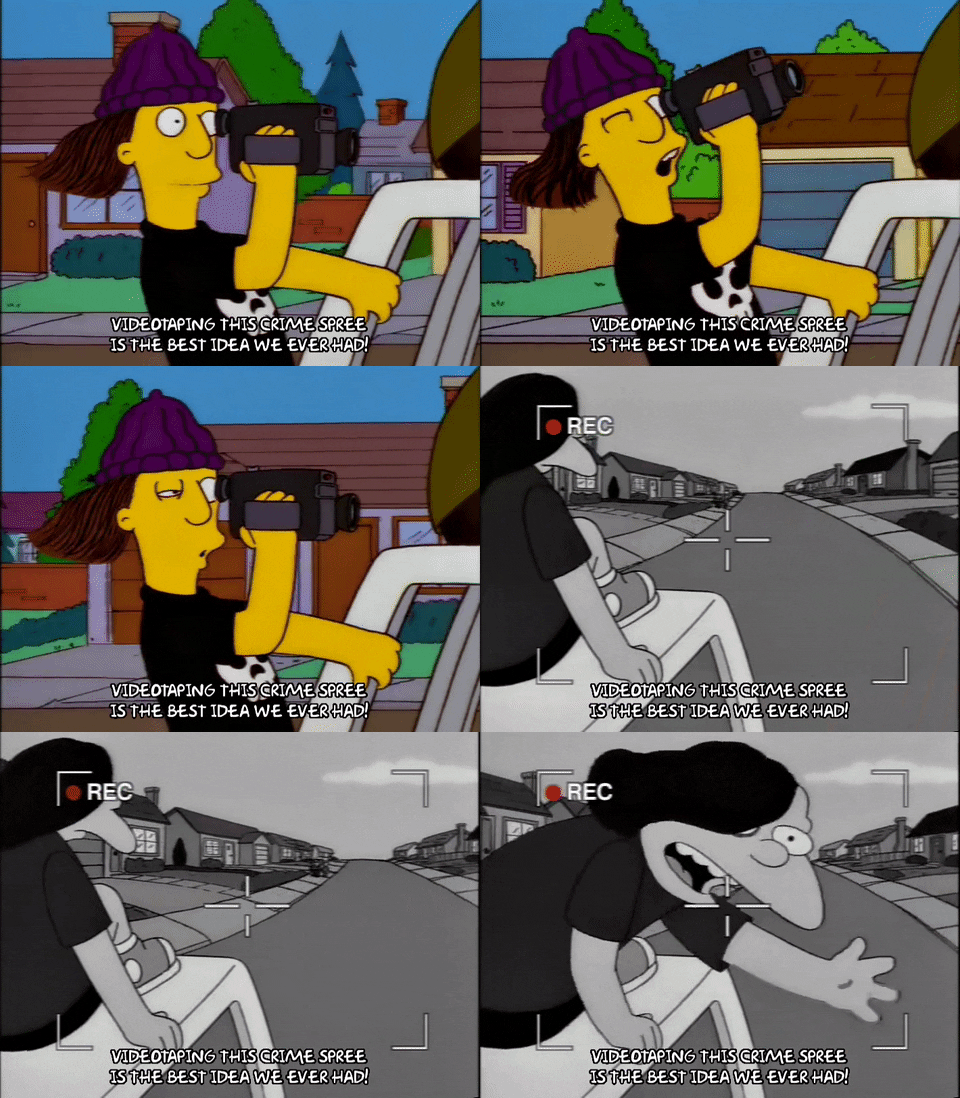
Below is a sneak peek into the inspiration behind what our group is planning to do for our movie making project. It was the best idea we ever had.

Image result for video taping gif
(GIF found at: http://giphy.com/gifs/season-9-the-simpsons-9x18-3orifheTRvwyCCyAKY )

But on a more serious note, I am liking the progress that our group has made in terms of figuring out our game plan and beginning to do a bit of filming. I think that we should be able to come up with something pretty good if we are able to actually do the editing the same way on the computer as we can in our imaginations. Hopefully early next week we can get the filming completed and begin to work with the editing software. I'm looking forward to it actually, mostly because we've been discussing maker spaces and learning through play all week in our Science Methods course, and it was something that I remember playing around with in my free time when I was younger. So it should feel good to pick up and play with again. It definitely will be better than making unit and lesson plans which I need to stop putting off.

Just a little blurb about our presentation by John Finch from Tuesday's class, I thought that he gave us some really good information that will be useful for us as educators in the future. It was actually sort of two mini presentations that he gave, one on copyright issues and one around literacy in ICT. I feel like I took a few things away from each mini presentation. Notables around copyright include that playing music in the gymnasium or in a classroom is copyright infringement unless it is for educational purposes, and that playing movies have to be directly related to education for everyone watching it (so students can't sit in on another class to watch the film) or else you are in copyright infringement; two things I did not previously know. With regards to literacy in ICT being taught to students, it just makes sense that it is now being stressed even more so. It was also nice to see the graphics he provided to relate the processes being used by students practicing these skills is not very different from the scientific process that I am more familiar with. I thought that John also had some good stories that kept everyone engaged on his presentations; it was obvious that he has given them a few times now. Actually, I think that I've taken at least one or two things away from every presenter we've had in ICT so far, which definitely is a good thing. But I am beginning to ramble again so I will end this there.. Or maybe here. Mm.. Back there was better. Stop reading, go back. Forget this ever happened. It's done now.

Friday, 17 February 2017

This week in ICT

So this week in our ICT class we were introduced to some cool little websites to help with creating multimedia (and even the copyright free and legal way), as well as some digital storytelling programs. I thought that the Animoto website that we were given a demo on was super easy to use, and was easily able to create a pretty nice looking slideshow and with accompanying music track. Just pick a theme and upload some pictures and videos, and BINGO-BANGO-BONGO you're basically done. After that, you just have to make some minor tweaks and adjustments to make sure its up to your own liking, pick the music track that you like the best, and then you get to be happy with the results.

Next week we're moving onwards to creating our own digital story or little video, about 2 to 5 minutes worth. I'm looking forward to having to do this, although I still am not too sure at all what I am planning on doing for it. Hopefully a long weekend back home will allow me some time to brainstorm ideas and figure it out, as well as decompress and maybe even catch up on lesson plans and readings that seem to be never ending. Wishing everyone else is able to enjoy their long weekends as well. Cheers everyone!

Related image
(GIF found at: http://natslife6.blogspot.ca/2016/01/five-on-friday.html )

Sunday, 12 February 2017

Building an e-portfolio


This past weekend I have tried to spend my free time working on the e-portfolio / professional website that was asked of us. I definitely seen the merit in creating one for yourself to have, I feel like it would be the best way to make sure that you present yourself in a way that is to your liking. You can create a resource that a prospective employer can look into at their leisure, and helps to create a positive and professional electronic footprint or web presence for yourself. Instead of having to leave hard copies of valuable resources after an interview, you could simply give out a web address which would have all of the same documents, as well as more about yourself, presented in a neat and ordered manner, with added flare of what you feel sets you apart from other applicants. All good things.

With that all being said however, there were times during the process where I wanted to smash my computer like the gentleman in the GIF at the bottom of this post. I used Weebly to create the website for myself, and I felt like it was pretty finicky and definitely annoying. I felt like I was restricted by the theme I chose at the start, and then didn't want to switch the theme or switch to Wix (which I heard from others was a better site to use) and to possibly lose everything that I had already put in and formatted. I did pick up the hang of using Weebly once I figured out how to handle the glitches and lagging movements, etc. but it still was frustrating to me.

On a side note, in class on Tuesday we were given a short demo on different quiz taking websites or programs. Specifically we were asked to participate in the quiz about what we had learned thus far in our ICT class, on a program running from the web address of kahoot.it. I found it to be a great site, I liked the appearance, and the way that it became a game to try and answer quickly and correctly. One downfall is that participants needed to look at the main screen to see the questions and possible answers, and then to answer on their personal devices. This does however keep the entire class engaged and focused on the same thing, and move through the work at the same time, so that isn't actually too huge of a pitfall in my opinion. I am hoping to make use something similar to this once I am in my next student placement.
Related image
(GIF found at: http://frndlydigital.com/ )

Sunday, 5 February 2017

Embrace the Future

 Image result for technology gif
(GIF found at: https://www.tenor.co/view/technology-gif-6072767 ) 

A common theme surrounding the ICT classes this week (and for the duration of the course for that matter) involved embracing technology and using it to your advantage. In class on Tuesday we were introduced to a number of different websites which could be used to create websites for yourself, and told some of the benefits of doing so in order to create an online presence; we also were given examples of the benefits of creating an electronic portfolio. I feel like it is a great idea, since technology is only becoming more prevalent in everyone's lives. By creating a website or e-portfolio online, you have some level of control over what your presence on the web will be, and it can even be used to help you in getting a job. By creating a virtual portfolio, one could give a web address out instead of just a resume and hard copies of documents, which those prospective business associates can then browse at their leisure. By spending some extra time on creating this, it also can help to showcase your own personality and what you are all about even better, in hopes that it can help make you stand out compared to everyone else.  

On Thursday we attended a presentation by John Evans from Manitoba Education, who gave us some insight into how we could use MAPLE FOREM to our advantage; however this time it is was about how to collaborate with others instead of how to stand out amongst them. I signed up for the service and tried to browse through the site a little bit; from what I saw it has very high potential for being something that will definitely help in the future. What is great about it is the fact that it allows for open collaboration amongst the educational community, in whatever areas are most suited to you. You can join different groups to share resources and ideas, and to stay informed in what is going on out there in the educational community to help with your own professional development. I think that sharing ideas with others is an invaluable resource to have, and from what I have witnessed, educators are some of the most willing people to share those resources with others. I feel like it is something that simply benefits everybody involved, and it is absolutely great for me to see as I begin to think about gathering resources for the future. By using social networking sites such as MAPLE or even Twitter and Facebook to collaborate and share ideas with other educators, or to just stay informed on ideas and advances in the field, it is a way of embracing the future and is a way of using technology in the right way to become a better, more professionally developed educator in general.

Thursday, 26 January 2017

WBC Blog

This week in our ICT class we had a very informative presentation about Web Based Courses (or WBC's) and were introduced to a program called Blackboard Learn (which we have access to through the Manitoba Curriculum website). I personally have never experienced a WBC or any type of distance learning, although I did know a number of other students who had to take courses through IITV and ISO while I was still a young high school student. I guess I got a sampling of the courses just by being a typical high school student and surveying the courses instead of being in my own classroom, but that's beside the point.

So with the IITV courses, they were still in trial runs when they were being offered for our school division, to see how feasible the idea of having students attending a class from a number of different schools actually was. The classes that I am thinking of were done in a synchronous fashion, with the teacher leading classes during the regular time slots, with there just being a video stream to other classrooms in addition to the one in which the teacher was actually in, with microphones and speakers as well so everyone was able to see and listen to what was going on. For rural schools who don't always have enough interested students to offer a course it was great, since it provided more opportunity for the students who actually were keen on taking those courses. The challenge for the teacher begins with keeping all of the students in their class accountable and following along, since they are not always present to manage their classroom with it being so spread out amongst different schools. Another challenge arises with how difficult it could be to offer a student help when they get stuck on a problem or question.

For ISO courses, the challenges and responsibilities shift from the teacher onto the students, as they need to ensure that they can keep themselves accountable as they work through the huge "textbook" they get mailed to them. They have the option of getting in touch with a tutor if they struggle, but it is in more of an asynchronous fashion if I remember correctly. I don't think that I would have been able to keep myself on task well enough to move through the entire course and complete it by the required finish date, even though I usually am pretty good at making sure I get things done when they need to be. A student needs to make sure that they are committed to taking the course if they begin it, to make sure that they follow through with finishing it instead of slacking off.

However with that all being said, WBC's in general are valuable resources for students to have available for them, since it helps to keep all of their options open. They aren't restricted by being in a smaller school or in a school that doesn't have a teacher who could teach a class they want to take, all thanks to the great technologies that are being used in the schools today.

Side Note: After reading other blogs about how good Blackboard Learn is, it makes me want try and play around with it even more, to see how I could actually make use of a resource like that in my classroom in the future.

Better side note: Since I am watching the Jets and Blackhawks game as I write this post, I felt like it was appropriate to share a highlight from a past game. Hence, here is the inebriated helmet snatcher. Infamous. Classic. Class act. Enjoy. (Sadly, he didn't get to keep his souvenir. BUT it is likely that him and his girlfriend both received lifetime bans from the United Center. Why she would dump her beer on the players is still beyond me -- Like who actually does that?)
Image result for blackhawks gif helmet guy
(GIF found at: https://www.theodysseyonline.com/thank-letter-chicago-blackhawks-told-gifs )

Thursday, 19 January 2017

Another Blog

Now that we are into our second week of ICT classes, some standards have been set. Everyone in the class now has their own blog sites, and after taking some time to go through them all, I have my work cut out for me to produce something that can hold up to the quality of the other posts. So here is another random GIF to help keep my posts unique and memorable. This is how you must feel having to read all of our blog posts. Enjoy.
Image result for funny gifs
(GIF was found at the following link: https://www.pinterest.com/funnymemes/funny-gifs/ )

So, during class on Tuesday we were given a virtual tour of some of the useful curation websites that exist out on the vast chasm of the interweb, in the hope that we would find some of them useful and intriguing enough to try and to use in the future. To begin with, the one site that I used was Feedly, which helped to make it easier to go through and read all of the other blog posts that were created. It was great once it was set up, and much simpler in format and layout compared to how the Google+ page had been. What I liked most about Feedly was how easy it was to begin following my classmates blogs, and how I can be able to see when there was a new post for me to read. The only fall back of this however is that you no longer can see the personalization of the blog website which people spent time making unique to themselves, and only can see the actual substance of the blog post text.

The other program which was demoed for our class was the Google Docs, to give us a better sense of some of the possibilities that the programs could do. I feel like it is a great program for when working with other students to complete a project or making up a presentation together, since multiple users can be working together on the same document in real time. I feel like I need to take some time to become more comfortable with creating and using these documents still, however I plan on trying to become fluent enough in the program to make good use of it in a future classroom, since it has the potential to be extremely useful. The tricky part I feel that would go along with using Google Docs in a classroom is to make sure that it is being used appropriately and in a way that actually would be assisting in the discussion rather than becoming a game for the students. The main reason why I feel this is the case is because of how easily the mature Education students that we have in our class shifted into having fun with the program rather than answering the hopes and fears question that was asked of us. It makes me curious if there is some way to ensure a bit extra control for the teacher if they were planning on using the program, in order to make sure that it is actually accomplishing the goal they set out to accomplish, rather than having it turn into a joke task.

One other program that I felt like I needed to spend some more time playing with was called Symbaloo, which was a bookmarking program that you could personalize to have all of your favourite websites linked into and easy to find. For me personally, I think that having a place like this to keep a tab of all the websites that might be useful for you (and ones that you know you'll want to return to again at a later date) is way more beneficial than always saying that you'll just know and remember what or where you went that one time when you were simply surfing the web. This is something I am guilty of doing, saying that I'll remember, only to have that website slip from my mind when I really wanted to go there again, or forgetting where exactly I seen that one idea that I thought could be useful to bring up again.


Saturday, 14 January 2017

First Ever Blog Post


This is quite historic, for this marks the first time that I will be creating a blog post for all to read. Hopefully I do not disappoint. Maybe I will add a random GIF to ratchet up the fun level of the post.

Image result for bobby hill gif
(GIF was found at the following link: https://www.tenor.co/view/kingofthehill-sweetmusic-bobby-bobbyhill-joejack-gif-3699661)

That seems appropriate. So as I was saying, this is the first time that I have created a blog post, and it was done in response to an assignment given to us by our ICT prof. Basically, we are supposed to reflect back on a weekly basis about what had been covered that week in the ICT course and to make a post about what we had learned or planned on using in the future. Now, I'm not usually one to make posts of any the random thoughts circulating in my ol' brain bucket; it has never really been a strong suit of mine to spell out my thoughts into a status or post. However, for the sake of the grade and of the changing times in which tech of all sorts is increasingly prevalent, I feel like I will try to have some fun with it and push my boundaries to give it an honest shot. There really is no time better then now to begin getting some practice in the area of utilizing the existing technology (in this case, by creating a blog). Getting better with all types of tech will only benefit me in the long run, since I plan on getting good enough with the new tech that now exists to make use of it in a classroom in the future, without making a fool of myself in front of a room of teenagers who will scoff when I make any small mistake. I know this will be the case, since I was once that teenager who scoffed at the teacher when they weren't able to properly open up a YouTube video or whatever other tech they tried to use.

So why is it so important to be fluent in technology in today's 21st century classroom? Well, according to Alan November and his video "Education Myths and Opportunities: Technology in the Classroom", we need to embrace technology; to engage students in a social platform or global conversation with others across the web, and to give them more purpose in their classroom that will translate to them being more prepared for the workforce later in life. The best part about the new technology that exists is the opportunity that it can provide, (i.e. every student is able to have a voice that they can use to say what they feel, where they are able to make a contribution to the learning process for the class as a whole). Students should be able to find things that they are passionate about, and to share that with others. Hopefully it will create in them the urge to be lifelong learners, and will at the very least keep them more interested while in the classroom learning whatever it is that they need to know. With the internet now, the outside world is closer than ever, since it is simply so accessible to everyone. It would be such an educational faux pas not to embrace the opportunity which exists to use the internet and other technologies for a classroom. A good teacher should be drawing on the many perspectives that exist in their classroom, and in the global classroom of the world wide web. However, a very strong point that Alan November makes is the need to develop critical thinking in students; to make them aware that simply seeing something posted on the internet doesn't mean that it is correct and the only perspective that exists.

As an educator, the real task is learning how to use technology effectively, in a way that will actually provide more benefits for the students. Using the flashy tools is fun and all, but if it detracts from any actual learning from occurring, then what's the point? Using apps that students can get on their smartphones where they are able to poll their results or answer admit slips for the teacher is a great way to have every student contribute at the same time, as well as with Google Docs which can have multiple users on the same page at the same time. These are examples of good technology (since students are able to contribute in real time and provide insight for the teacher about what they know and are learning), while having students going and finding information that they will just copy and paste and not retain probably isn't as good of a use of tech. It is inevitable that technology will continue to have a more prevalent role in the classroom, so moving forward, I hope to embrace it and learn how to make ICT and communication technology a useful and beneficial part of a classroom. Also, I feel like I'll need to help create digital citizens of my students, so they can become lifelong learners and purveyors of the world wide web. Hopefully I can teach them something too.

And hopefully you enjoyed the ramblings of a first year Ed student who has never made a blog before. Until next time, Mr. Sidoryk... er Sidorium.. is signing off.